Below, Rusted Gods Graphics & Settings
What to check in Options after unlock—not a guaranteed list of every toggle.
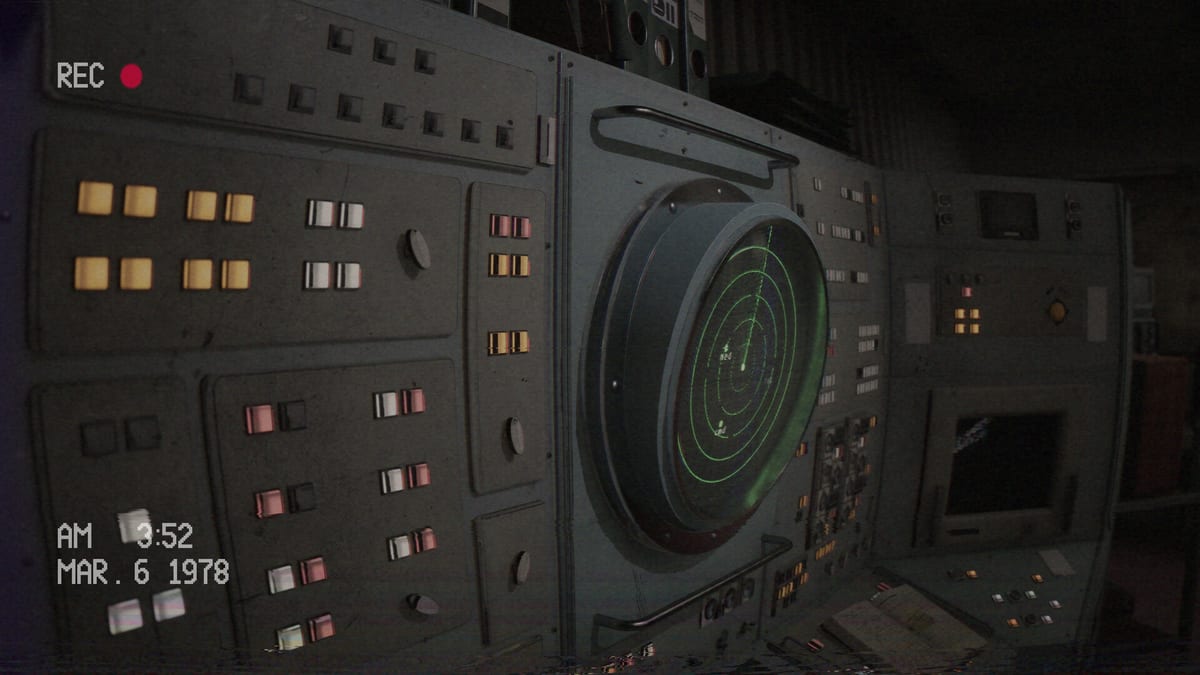
Below, Rusted Gods sells clarity and dread in the same frame: crisp CRT readouts you must parse under stress, then facility walks where motion and blur can unsettle even confident Operators. FromSouthGames discussed visual settings and polish in May 2025 devlog-era materials (OTK Games Expo window), and playtest threads added specific QoL asks—motion blur, text size, head sway. This page frames graphics and display options you should verify in your retail copy after the July 29, 2026 Steam unlock. It complements Accessibility & Comfort (player-requested comfort themes) without duplicating that checklist. We do not invent slider names or claim every playtest request shipped day one.
How to use this page on launch day
- Install or update to the latest Steam build.
- Open Settings / Options before your first serious shift.
- Walk through the sections below and note which toggles exist in your binary.
- If a requested feature is missing, capture build ID and report via Bug Report Guide or official channels on Discord & Community.
- Track post-launch additions on Patch Notes.
Launch eve (July 28, 2026 evening) leaves roughly twenty-two hours until unlock. Use tonight to confirm System Requirements and Steam Deck Verified expectations—not to guess final menu labels.
Graphics quality and performance baseline
Operator horror depends on stable frame delivery during desk reads and corridor transitions. Before tuning aesthetics:
- Match resolution to monitor native or sensible scaling—ultrawide and 4K setups affect CRT text size.
- Prefer stable frames over maxed effects if facility segments induce simulation sickness.
- Confirm fullscreen versus borderless behavior; some players report readability differences during dark desk scenes.
- Deck players: trust Verified defaults first, then adjust—Steam Deck Verified and Controls.
Hardware context lives on System Requirements. Performance stutters can sound like missed radio lines—rule out graphics hitch before blaming puzzles on How to Progress When Stuck.
Motion blur, film grain, and head movement
Playtest and Steam discussion posts frequently mention motion blur discomfort during facility segments and desk-to-corridor transitions. May 2025 visibility beats emphasized visual polish; community feedback asked for blur reduction or toggles tied to camera movement.
What to check at launch: Graphics, Camera, or Post-Processing sections for motion blur, film grain, depth-of-field, or similar effects. If blur remains forced, combine lower motion settings with breaks during exploration beats—Facility Exploration and Anomalies & Events.
Head sway / view bob during walking bothered some playtesters. Steam accessibility tags include camera comfort options—verify whether retail offers sway reduction. Pair with Accessibility & Comfort for the full comfort ask list.
CRT text legibility and UI scale
Gameplay hinges on reading instrument labels, log printouts, terminal text, and medical readouts under pressure—Operator Station, Life Support & Squad, Radar & Status.
Playtesters requested larger monitor text and clearer log typography. Devlog-era polish suggests the team cares about readability; your menu may still differ from playtest builds.
What to check at launch:
- UI scale or HUD size sliders
- Subtitle size (distinct from CRT labels but related for stress reading)
- Resolution scaling that shrinks desk UI
- Localized UI rendering after language changes—Supported Languages
If text remains too small, try OS scaling before assuming a bug. Persistent issues deserve a structured report—Bug Report Guide.
Brightness, contrast, and horror readability
Psychological horror often hides detail in shadow. Operators report missing interact prompts when brightness is too low or when streaming overlays crush blacks.
Practical habits:
- Set in-game brightness if offered; avoid crushing CRT glow on OLED panels.
- Disable stream overlays during learning runs—Day-One Checklist.
- Revisit brightness after changing blur or film grain—combined post-processing can muddy prompts.
Steam lists color alternatives among accessibility tags. Verify whether retail offers color-blind or contrast assists; do not assume names without seeing the menu.
Audio settings versus graphics (linked clarity)
Wrong audio device routing is not a graphics issue but feels like broken progression when lines are missed. Still run the audio pass from Accessibility & Comfort and Headphones & Audio in the same Options session so you do not misattribute visual blur to unheard verbs.
May 2025 devlog themes (expectations, not promises)
Public materials around OTK Games Expo May 2025 and subsequent Tiny Teams visibility emphasized visual polish and Operator fantasy cohesion—consistent CRT language, readable panels, deliberate facility lighting. That signals intent; it is not a changelog. Retail may add, remove, or rename toggles. When Steam publishes patch text, Patch Notes summarizes mechanical impact; this page updates when official notes mention graphics menus.
Settings workflow for first retail boot
Suggested ten-minute pass on unlock morning:
- Note Steam build ID (for future reports).
- Graphics: resolution, fullscreen, blur/grain, VSync or frame cap if present.
- Accessibility/Camera: sway, comfort, color options if present.
- UI/Text: scale, subtitles.
- Audio: output device, dialogue volume.
- Controls: confirm interact bind—Controls.
- Boot save; run one desk loop from Operator Checklist before story-critical doors.
When graphics settings are not the problem
| Symptom | Likely cause | First page |
|---|---|---|
| Stuck after vitals | Missed walking verb | How to Progress |
| Radar/status mismatch | Authored tension or bug | Anomalies & Events |
| No audio cues | Device routing | Headphones & Audio |
| Crash on launch | Stability/build | Bug Report Guide |
Related pages
- Accessibility & Comfort — playtest-requested comfort themes
- System Requirements — hardware baseline
- Steam Deck Verified — handheld defaults
- Controls — rebind after changing devices
- Launch News — launch eve countdown and review status
Graphics protect literacy. Literacy protects the squad.
Launch eve reminder
Steam shows no user reviews yet; Metacritic scores remain pending. Community settings guides will appear after unlock—revisit this page when Patch Notes document official QoL changes.
Hubs
Systems, Tools, Overview, Guides, Updates. Store: Release & Demo. Tone: Review. Community: Discord & Community.
Frequently Asked Questions
Quick answers for operators preparing for the descent.
Are these exact setting names confirmed?
No. This page lists themes from devlog polish and playtest feedback—verify actual menu labels in your retail copy after unlock.
Where is motion blur covered?
Check Graphics/Camera/Post-Processing at launch. Comfort context also lives on [Accessibility & Comfort](/tools/accessibility-and-comfort/).
How is this different from Accessibility & Comfort?
That Tools page lists player-requested comfort asks. This Systems page focuses on graphics, display, and visual QoL verification at launch.
Will May 2025 devlog promises match retail?
Devlog themes signal intent, not guaranteed toggles. Track diffs on [Patch Notes](/updates/patch-notes/) after Steam publishes changes.
Text too small on 4K—what first?
Try in-game UI scale, resolution, or OS scaling. Report with build ID via [Bug Report Guide](/tools/bug-report-guide/) if retail lacks requested options.