Below, Rusted Gods Demo Walkthrough
A practical route through the free preview without spoiling every scare.
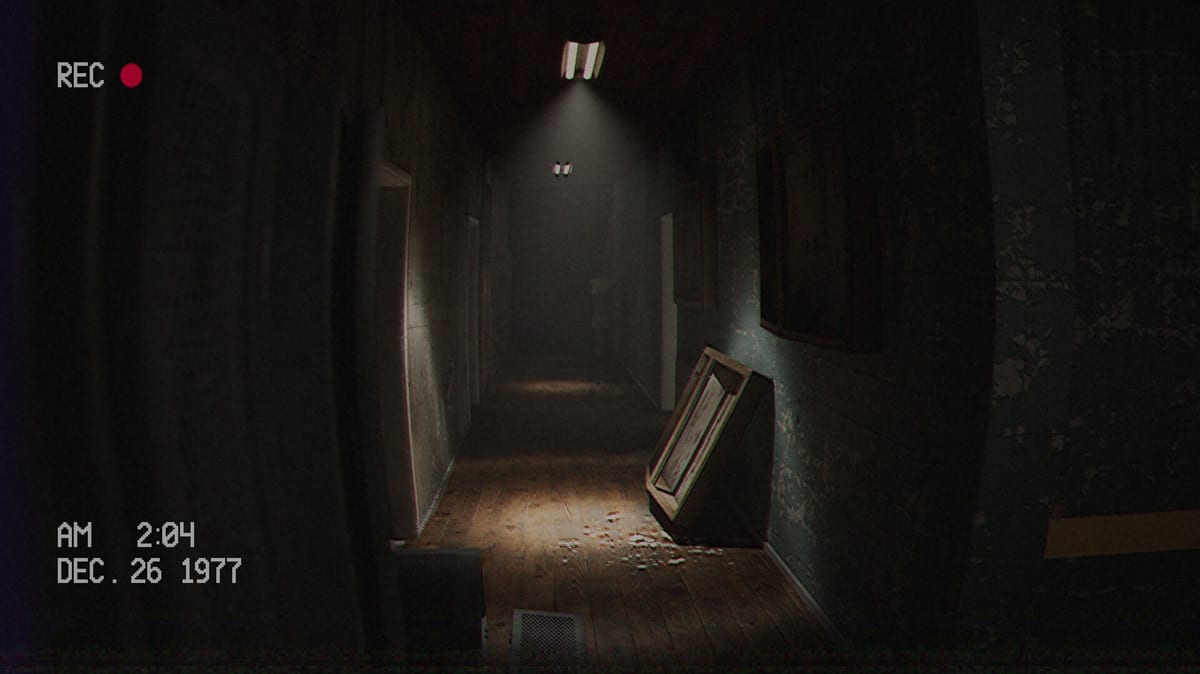
This walkthrough covers the Below, Rusted Gods demo: the free Steam and itch preview that teaches the Operator loop before the July 29, 2026 launch. It is written for players who want structure without a spoiler dump of every jump. Pair it with Getting Started if you have not sat at the desk yet, and keep How to Progress When Stuck open if a voice line already slipped past you.
Demo goals in one sentence
Keep the expedition channel alive, learn each instrument, consume facility media, and follow environmental prompts until the preview ends.
Phase 1 — Desk certification
Sit, orient, and accept that the game will teach by audio. Identify:
- The status style monitor for squad condition.
- The radar for nearby contacts or anomalies around the descent team.
- The radio for scanning frequencies and issuing guidance.
- Secondary screens or tape gear that look “decorative”—they rarely are. Cross-check labels against Operator Station and Terminals & Radio.
Complete every prompted check in order. Do not skip a “look after your friends” style beat; that is the hinge many players miss.
Phase 2 — Transmission discipline
When the squad speaks, answer with the tools you have—not with sprinting around the room. Cycle radar after worrying lines. Re-scan frequencies if static rises. Log what you hear mentally; the demo is short enough that notes on paper help. The mid-article video below shows a complete no-commentary pass if you prefer visual pacing.
After the video, return here for facility exploration notes rather than replaying the entire desk tutorial.
Phase 3 — Leave the station when the story asks
The control room is not a single chair forever. Demo reports highlight bathroom exploration and an eye-level aperture that advances atmosphere and plot. If dialogue stalls and instruments idle, stand up and inspect doors, tapes, and side rooms. Cassettes & Lore explains why popping every tape matters for tone and context.
Phase 4 — Close the preview cleanly
Finish outstanding instrument checks, exhaust obvious tape stacks, and follow any Administration sign-off. Then decide whether to wishlist via Release & Demo or dig into expectation-setting in the Review page.
Soft-lock checklist mid-demo
- Headphones on?
- Last voice line fully heard?
- Status, radar, and radio each touched since the last scare?
- Any unplayed cassette in reach?
- Bathroom / side room inspected after onboarding mentions of “checking” or “looking”?
If you still stall, jump to How to Progress When Stuck. For input confusion, use Controls. For a mechanical deep dive, stay with Terminals & Radio.
After the demo
The full game promises branching narratives and richer machine interaction. Treat this walkthrough as training, not a permanent map of every corridor. Watch Launch News as July 29 approaches, and only open Endings when you want full-release spoiler territory.
You kept them alive for a preview. The abyss will ask for longer shifts soon.
Pacing advice for anxious Operators
Play in twenty-minute blocks if dread spikes. End each block on a completed instrument cycle, not mid-sentence. Use the Operator Checklist as a bookmark for where your brain left off. Re-enter with headphones and a glance at Controls if you swapped devices.
Mapping the preview without spoiling yourself
You need a graph of decisions—Desk, Media, Facility—not pixel cartography. Tick nodes as you go. When all three feel exhausted and nothing moves, re-listen; stuck states are usually audio, documented in How to Progress When Stuck. Layout help sits on Operator Station; tape habits on Cassettes & Lore.
Comparing your run to the video
The embedded no-commentary walkthrough is a reference, not scripture. If it touches a tape you lack, search nearby rooms before copying later chapters. If it leaves the desk and you heard no cue, finish your radio beat first (Terminals & Radio).
Demo completion criteria
Call the preview cleared when onboarding is done, you survived a full status/radar/radio crisis loop, obvious cassettes are played, major facility inspection beats are resolved, and the demo signs off naturally. Then wishlist via Release & Demo. Keep notes high-level for the branching full game promised by FromSouthGames. Watch Launch News, leave Endings sealed, and recalibrate expectations with the Review. Specs: System Requirements. Fundamentals forever: Getting Started.
Frequently Asked Questions
Quick answers for operators preparing for the descent.
How long is the demo?
Most preview videos land under an hour; no-commentary full demo runs often sit around 20–40 minutes depending on exploration.
Does the demo include multiple endings?
Expect a focused linear sample. Branching endings are a full-game focus—see [Endings](/guides/endings/).
Can I use a controller in the demo?
Steam lists full controller support for the game; verify bindings on [Controls](/systems/controls/).
Where do I download the demo?
Steam hosts the demo listing; itch also mirrored preview builds. Start from [Release & Demo](/overview/release-and-demo/).