Below, Rusted Gods Getting Started Guide
Your first briefing before you open the channel to the expedition.
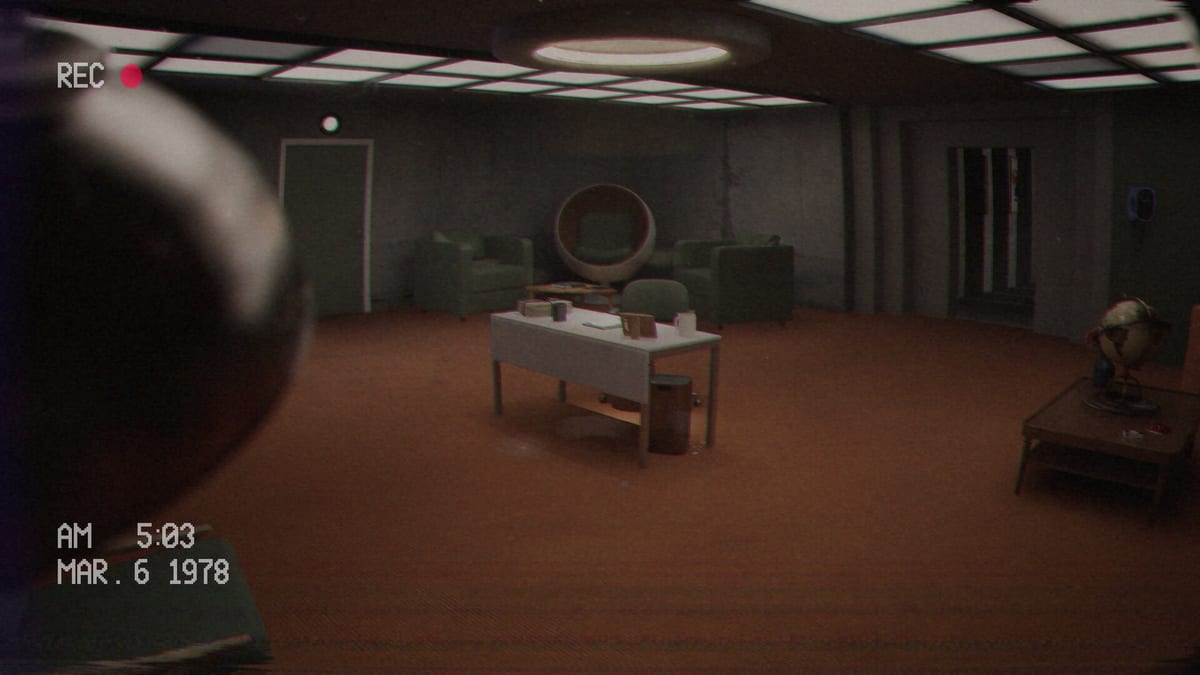
Below, Rusted Gods asks you to keep strangers alive while you sit still. You play as an Operator selected by the Administration to oversee an elite squad descending into a newly discovered abyss. Your toolkit is a status monitor, radar, radio, cassette decks, and the uneasy freedom to leave the desk and walk the facility. This guide is the day-one briefing: what the game is, how to set yourself up, and which wiki pages to open next.
What kind of game this is
This is a narrative psychological horror experience with simulation flavours—not a shooter, not a Roblox experience, and not a code-redeem grind. Comparisons players make often land near radio-operator thrillers: you interpret incomplete information, make calls under pressure, and feel responsible when the channel goes wrong. FromSouthGames is a two-person Argentine studio shipping on Steam for Windows on July 29, 2026, with a free demo already available.
Before you launch
- Use headphones. Spatial audio, tape hiss, and radio static are part of the puzzle language. Missed voice lines are the number-one reason operators get stuck.
- Confirm input method. The game lists full controller support. Whether you prefer keyboard and mouse or a pad, skim Controls once so you are not hunting bindings mid-scare.
- Wishlist and demo links. Grab the demo from Steam or itch when you want a low-commitment taste; wishlist the full game via Release & Demo.
- Check the Operator Checklist so you have a repeatable loop for every transmission cycle.
Your first fifteen minutes
Expect a short onboarding that introduces the squad channel, life-support style status readouts, radar presence, and secondary media like a TV or VCR chain. Treat every instruction as mandatory, not flavour. Players who half-listen after “check on your friends” often miss the cue to leave the station—exactly the soft-lock covered in How to Progress When Stuck.
When the mid-article trailer finishes, return here and map the physical station using Operator Station. Know where the radio lives relative to the radar, where tapes go, and which doors or bathrooms exist outside the desk cone of vision.
Operator mindset
- Listen first, act second. The radio is not ambient noise; it is the primary quest log.
- Cycle instruments deliberately. Status for health and readiness, radar for nearby threats, radio for frequencies and orders. Details live in Terminals & Radio.
- Explore when prompted—or when silence stretches too long. The facility itself carries story beats, including uncomfortable peep-hole moments referenced by demo reviewers.
- Collect and play media. Cassettes and transcripts deepen the Administration’s history; see Cassettes & Lore.
Demo versus full release
The demo is fairly linear, with limited variation beyond some dialogue changes. The full game is designed for more branching narratives, extra areas, and deeper terminal interaction. Do not assume every demo habit will map one-to-one after launch—revisit Patch Notes after July 29, 2026.
Suggested reading order
- This page
- Controls
- Terminals & Radio
- Demo Walkthrough
- How to Progress When Stuck
- Review if you want expectations framed before spoilers
When you are ready to chase endings or Protocol-style outcomes, open the Endings Guide only after you finish a run—or with spoilers accepted.
Stay calm, Operator. The squad is counting on the person who never entered the hole.
Why the Operator fantasy clicks
Remote-guidance horror works when responsibility feels heavier than the monster. You never hold the rifle; you hold permission to send people deeper. That asymmetry is the pitch of Below, Rusted Gods. If you enjoy decoding partial information more than twitch aiming, you are in the right chair. Sample the demo via Release & Demo and decide honestly using the Review.
Building a personal SOP
Standard operating procedure beats raw courage. Write three lines before each run: last known squad status, last frequency used, and last room inspected. Update them after every scare. The Operator Checklist is the formal version of that habit. Combine it with Controls so your hands do not invent bindings mid-panic, and with Operator Station so you can point without thinking.
Reading the Administration’s tone
In-world language is bureaucratic on purpose. Cold procedure makes human voices hit harder. When documents and tapes sound distant, play them fully—Cassettes & Lore explains why archive work is survival, not homework. Instrument literacy stays on Terminals & Radio.
Common first-hour mistakes
Lowering music but forgetting dialogue; assuming decorative screens are decorative; speed-clicking radio prompts; ignoring bathroom cues after vitals; opening spoiler ending films early. Fix those with How to Progress When Stuck and the phased Demo Walkthrough. Track launch changes on Launch News and refuse invented changelogs on Patch Notes. Specs remain on System Requirements.
You are ready to open the channel. Keep your voice steady.
Frequently Asked Questions
Quick answers for operators preparing for the descent.
Is Below, Rusted Gods multiplayer?
No. Steam lists it as single-player. You alone staff the Operator station.
Should I play the demo before buying?
Yes if you want to test the Operator fantasy and audio-driven pacing. See [Release & Demo](/overview/release-and-demo/).
What if I cannot hear instructions clearly?
Raise dialogue and effects, use headphones, and revisit [How to Progress](/guides/how-to-progress/) for common missed cues.
Where do I check PC specs?
Open [System Requirements](/overview/system-requirements/) for minimum and recommended Steam numbers.