Below, Rusted Gods Headphones & Audio
Treat sound as the primary quest log—not optional ambience.
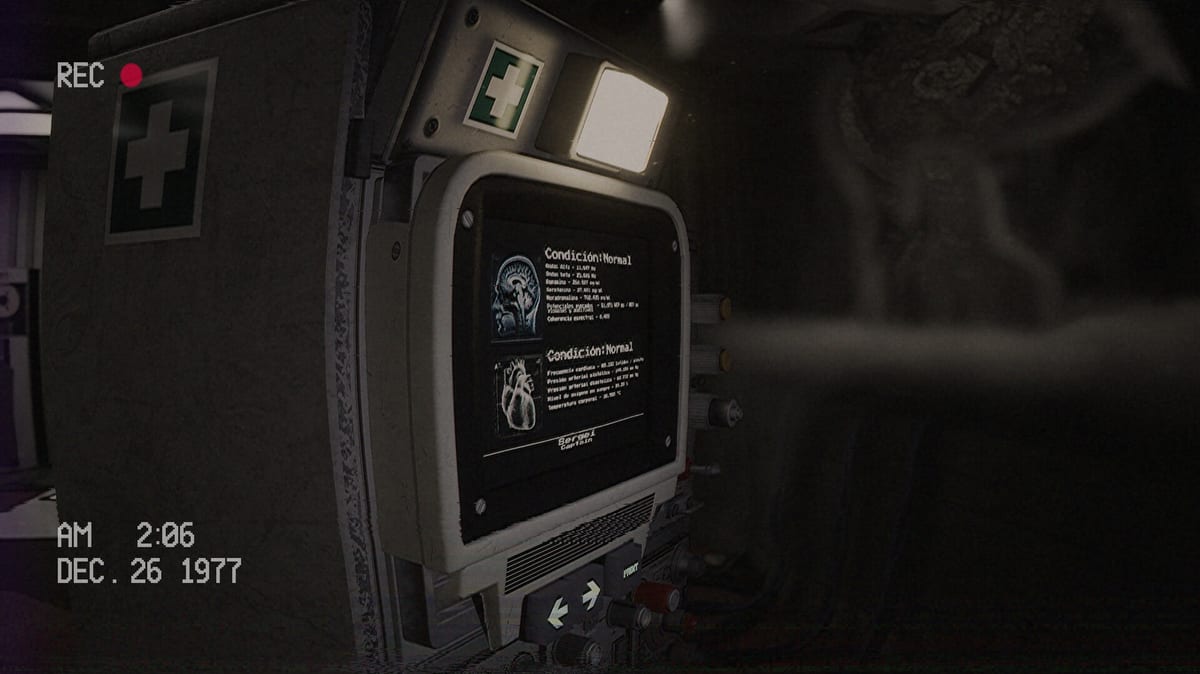
In Below, Rusted Gods, audio is not wallpaper. It is the Administration’s dispatch channel, the squad’s lifeline, and often the only hint that you must leave the desk. FromSouthGames built a psychological horror Operator sim where static, hiss, and half-heard orders carry progression logic. This guide explains why headphones are mandatory, how missed voice lines create soft-locks, how to set dialogue volume, and how cassette listening fits the same discipline.
Why headphones are non-negotiable
Steam and demo reviewers consistently flag the same failure mode: players lower music, skip “flavour” radio, or play on TV speakers—then freeze because a verb in a voice line never registered. The game assumes you can localize whispers, distinguish overlapping frequencies, and catch subtle cues that stereo separation reveals. Open speakers smear those cues; laptop speakers bury them entirely.
Headphones also respect the horror contract. The Operator fantasy is intimate surveillance. You are alone with voices from the abyss. Collapsing that into room audio turns tension into background noise.
Missed voice lines and soft-locks
Soft-locks in this design are often narrative gates, not bugs. Typical pattern:
- Radio delivers an instruction using plain language (“check on them,” “look through,” “when you’re ready”).
- Player multitasks with radar or status and misses the verb.
- Instruments appear idle; player assumes the game broke.
Recovery starts with replaying the last sixty seconds of audio, not restarting the app. Full triage lives on How to Progress When Stuck. The Operator Checklist adds a checkbox: listen to the full radio beat without multitasking.
Dialogue volume and mix settings
Raise dialogue or voice sliders first. Effects and music can stay moderate; crushing dialogue guarantees stalls. If your build separates “master,” “music,” “SFX,” and “voice,” bias voice upward until whispers remain intelligible during static bursts.
On Steam Deck Verified hardware, default audio routes should work—see Steam Deck Verified—but headphones still matter. Portable speakers on a train will not carry the same information.
Test mix in the demo (Steam app 3243360 or itch builds) before the July 29, 2026 retail unlock. Confirm binds on Controls only after audio is honest.
Cassette listening as audio homework
Cassettes are not optional lore fluff for attentive Operators. Tapes extend Administration history, foreshadow facility anomalies, and sometimes clarify orders the radio garbled. Process them with the same patience as live transmissions:
- Play each collected tape fully.
- Do not scrub mid-sentence.
- Return to the desk loop after the deck stops.
Mechanical and lore context sits on Cassettes & Lore. Pair tape sessions with Terminals & Radio so you know when archive work yields instrument changes.
Radio atmosphere versus actionable audio
Static can mean “empty frequency” or “you stopped listening.” Learn the difference by cycling radar and status after every radio segment. The embedded community gameplay clip mid-article demonstrates long-form listening—watch a few minutes with headphones to see how players pause desk multitasking when voices rise.
Facility exploration beats—bathrooms, peepholes, corridor anomalies—often arrive after audio cues. If you never heard the cue, walking blindly feels random. Read Facility Exploration for spatial follow-through once your ears confirm it is time to stand.
Session habits that protect your ears and your run
- Set Windows or Steam default output to your headphones before launching.
- Disable chat overlays that duck game audio during launch week streams.
- Take breaks after cassette-heavy sequences; fatigue causes missed lines too.
- Log confusing lines in a text file beside the Operator Checklist.
- On launch day, run audio checks inside the Day-One Checklist.
Demo versus full-game audio expectations
The demo is fairly on-rails with limited dialogue variation. The full game adds branching decisions, expanded facilities, and more squad voices—more chances to miss a line if habits slip. FromSouthGames has emphasized localization work for retail; English full audio is the reference this wiki uses. Revisit Decisions & Branching for spoiler-light notes on how choices intersect with what you hear.
Related pages
- Getting Started — first-hour Operator briefing
- Terminals & Radio — radar, status, frequency discipline
- How to Progress When Stuck — soft-lock recovery
- Operator Station — where speakers and decks live spatially
- Release & Demo — install paths before launch
Good Operators hear the order before they see the prompt. Bad Operators blame the abyss for their mute button.
Launch-week audio hygiene
Creators will upload compressed launch clips with music beds. Do not learn progression from TikTok audio. Primary sources: your headphones, the demo, then wiki pages like Demo Walkthrough. Track official changes on Launch News, Steam News, and Patch Notes. Hardware confidence: System Requirements and Steam Deck Verified. Spoiler gate: Endings. Hubs: Guides, Systems, Tools, Overview, Updates.
Frequently Asked Questions
Quick answers for operators preparing for the descent.
Can I play on speakers?
You can, but you raise soft-lock risk. Headphones are strongly recommended for dialogue clarity.
Which volume slider matters most?
Raise dialogue/voice first. Keep effects audible but do not drown squad transmissions.
I missed a line—now what?
Replay the last minute of audio, rerun the desk loop, then open [How to Progress](/guides/how-to-progress/).
Do cassettes need headphones too?
Yes. Treat tapes like radio: full playback, no scrubbing, then return to instruments.