Below, Rusted Gods How to Progress When Stuck
Unstick yourself when the Administration goes quiet and the squad waits.
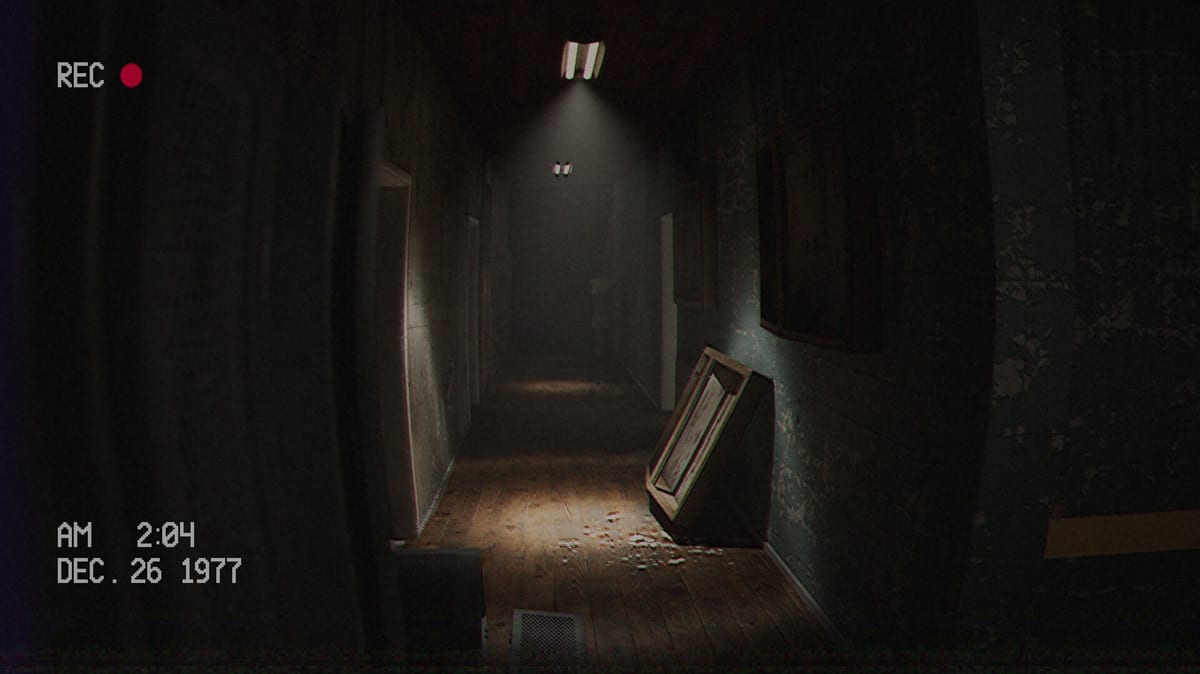
Getting stuck in Below, Rusted Gods rarely means a broken quest marker. It usually means a missed audio cue, an idle instrument, or a reluctance to leave the comfort of the Operator chair. This page collects the highest-frequency soft-locks reported by demo players and turns them into a recovery checklist.
Rule zero — replay the last minute with headphones
Before you search the web, raise dialogue volume and listen again. The game’s onboarding is quick; reviewers openly admit they missed the talk that told them to leave the desk after checking on the squad. If you only remember the “check vitals” half of a sentence, you are probably stuck for story reasons, not technical ones.
Soft-lock A — Instruments look idle
Cycle every primary tool once: status, radar, radio. Confirm no highlighted interaction remains. If a frequency sweep was interrupted by a scare, finish it. See Terminals & Radio for the recommended loop and Operator Station for where each device sits.
Soft-lock B — You were told to “look” or “check” something off-desk
Stand up. Inspect bathrooms, side rooms, and anything that feels like a peephole or aperture. Demo write-ups specifically call out bathroom progression and an eye-sized hole that telegraphs a scare while also advancing the plot. If you refuse to leave the chair because it feels unsafe, the game cannot continue.
Soft-lock C — Tapes and transcripts unread
Pop every cassette you can reach. Transcripts of old conversations are part of the facility’s storytelling language. Cassettes & Lore explains why skipping media leaves you emotionally—and sometimes mechanically—behind.
Soft-lock D — Input confusion
If interactions fail, verify bindings on Controls. Full controller support is listed, but menus and world interactions still need the correct confirm / interact input. Try toggling between keyboard and pad if a prompt seems dead.
Soft-lock E — You finished the demo loop but expected more branches
The demo is intentionally constrained. Branching and extra areas are full-game promises. If you reached a natural endpoint, move to Release & Demo and Launch News instead of forcing a path that is not in the preview.
Recovery flow (print this)
- Headphones on, last dialogue repeated.
- Status → radar → radio full cycle.
- Inventory any unplayed tapes.
- Explore adjacent rooms, especially bathrooms or flagged doors.
- Re-check Demo Walkthrough phase list.
- Skim Getting Started mindset section.
- Only then search endings or spoilers on Endings.
Prevention habits
Use the Operator Checklist at the start of every session. Treat voice lines like quest text. After any scare, re-ground yourself with instruments before wandering.
Operators who assume the game “didn’t tell them” usually missed a sentence. Operators who assume they must sit forever miss the facility. Balance both instincts and the descent continues.
If you are stuck on PC performance instead of puzzles, visit System Requirements and Patch Notes.
Distinguishing puzzle gates from performance issues
Smooth game but narrative-still means a puzzle gate. Hitching audio may mean hardware—verify System Requirements. Do not lower graphics to fix a bathroom cue. Do not reinstall to fix a missed sentence. Input failures belong on Controls.
The last-verb method
Replay the last spoken verb: check, look, scan, hold, wait, open. Map verbs to systems: instruments on Terminals & Radio, rooms on Operator Station, tapes on Cassettes & Lore. Compare progress to the Demo Walkthrough and reset habits with Getting Started.
Spoiler pressure from friends
Mute launch-week spoilers while soft-locked. Use this page first; open Endings only intentionally. Re-motivate with the Review and practical dates on Release & Demo.
Emotional soft-locks
Sometimes you understand the cue and refuse the peephole. Name that honestly, take a break, resume with the Operator Checklist. Track fixes after launch on Patch Notes and Launch News. Broader manuals: Guides Hub, Systems Hub, Tools Hub.
You are not a bad Operator for getting stuck—only for stopping listening.
Frequently Asked Questions
Quick answers for operators preparing for the descent.
I checked the squad and nothing happens. What now?
Re-listen for a follow-up instruction to leave the station or inspect a room—bathroom progression is a common miss.
Do I need a guide video?
Optional. The [Demo Walkthrough](/guides/demo-walkthrough/) embeds a no-commentary full demo run mid-article.
Could my save be broken?
Unlikely in the linear demo. Exhaust audio and exploration steps before assuming a bug; report real bugs via developer Discord with build info.
Where is the checklist tool?
Open the [Operator Checklist](/tools/operator-checklist/) under Tools.