Below, Rusted Gods Day-One Checklist
Launch morning procedure for the July 29, 2026 Steam unlock.
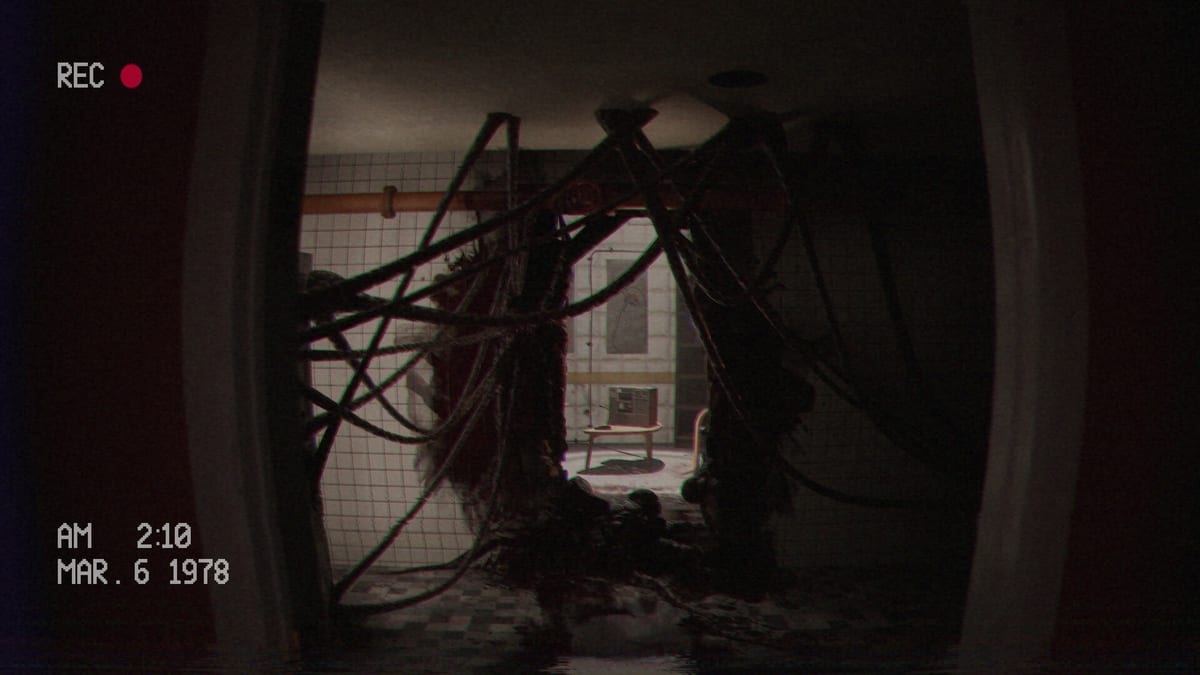
July 29, 2026 is the Steam launch day for Below, Rusted Gods from FromSouthGames (Ari Galiano and Alexis Salomon). Hype is high—50,000 wishlists, Steam Deck Verified on July 20, 2026, and months of Administration-style transmissions on Steam News. This page is your launch-day SOP: update clients, choose Deck or PC, convert wishlist intent into a clean first session, filter spoilers, and run repeatable Operator loops without soft-locking in hour one.
T-minus night before
- Sleep. Launch fatigue causes missed voice lines—the real soft-lock engine.
- Mute non-official alert channels; keep Steam wishlist notifications only.
- Decide platform: desktop (System Requirements) or Steam Deck (Steam Deck Verified).
- Charge headphones; set them as default output device.
- Bookmark this page, the Operator Checklist, and Launch News.
- Accept that Endings stays closed until you finish—or choose spoilers knowingly.
Launch morning: client and store
- Update Steam before the unlock window crowds CDN.
- Open the store page for app 2895680; confirm your region shows July 29, 2026.
- If you wishlisted, verify purchase on the account that wishlisted—see Release & Demo.
- Install to SSD when possible; twelve gigabytes is modest but hitches hurt radio readability.
- Skim the latest Steam news post—do not trust rumor threads over Steam News or Patch Notes.
Deck versus PC launch branch
PC path: confirm GPU drivers, test keyboard or pad on Controls, optional second monitor for checklists.
Deck path: confirm Verified badge in Steam, default Deck controls, legible UI at default scale, no KB/M required. Run a five-minute demo loop on Deck if this is your first handheld session—details on Steam Deck Verified.
Both paths share the same audio rule: Headphones & Audio is mandatory.
First boot sequence (retail)
- Headphones on; dialogue slider biased upward
- Full Controls test: move, look, interact, pause
- Read nothing on Endings yet
- Run one calm desk cycle from Getting Started: status → radar → radio
- Insert/play any starter cassette fully (Cassettes & Lore)
- When audio authorizes, stand and walk—Facility Exploration
- Return to desk; log anomalies on the Operator Checklist
The embedded early-access Operator session mid-article shows pacing—watch a segment for rhythm, not spoilers, if you need confidence before clicking New Game.
Spoiler filters for launch week
Launch-week creators will dump endings within hours. Protect your first run:
- Avoid YouTube autofill with “all endings” queries.
- Mute social tags for the game until you finish a shift.
- Use wiki pages marked spoiler-light: Demo Walkthrough logic adapted to retail, How to Progress When Stuck, Decisions & Branching without opening Endings.
- Share clips with friends only after warning them about audio-dependent progression.
Checklist loops for hour one
Repeat this loop whenever tension spikes:
Desk loop: listen to full radio beat → status → radar → finish frequency prompts → note anomalies.
Media loop: collect tapes in reach → play fully → skim transcript if needed.
Facility loop: stand when cued → inspect highlighted spaces → return → desk loop again.
Recovery loop: replay last minute of audio → full instrument cycle → How to Progress if still stuck.
This mirrors the Operator Checklist but adds launch-specific store and spoiler steps.
When to read updates mid-session
If Steam pushes a day-one patch, pause story, read Patch Notes, retest Controls, then resume. Do not stack patches mid-boss-beat emotionally—save, patch, verify audio, continue.
After hour one
Calibrate tone with Review if adrenaline misled you. Deepen machines on Terminals & Radio and layout on Operator Station. Plan branching awareness via Decisions & Branching before you hunt endings.
Launch day is procedural. Treat it like a shift handover, not a speedrun.
Closing launch note
FromSouthGames reached 50,000 wishlists, earned Steam Deck Verified, and survived Tiny Teams Fest 2025 plus OTK Games Expo May 2025 visibility to arrive here. Honor that work by listening carefully. The squad does not care that you unlocked at 12:01—they care that you heard the order.
Hubs: Tools, Updates, Overview, Guides, Systems. Store facts: Release & Demo. News archive: Steam News, Launch News.
Frequently Asked Questions
Quick answers for operators preparing for the descent.
What time does the game unlock?
Follow your Steam region unlock for July 29, 2026—confirm on the store page, not rumor posts.
Should I play on Deck or PC first?
Either works Verified on Deck; pick the platform where you can use headphones quietly.
Do I need the demo installed?
No. Demo practice helps but is optional if you want a fresh retail impression.
Where is the everyday checklist?
Use the [Operator Checklist](/tools/operator-checklist/) after this launch-day SOP.